
Learn how to complete your online Tin Certificate Verification in Bangladesh for 2026. Check your NBR e-TIN status easily using our guide.
Introduction: Online Tin Certificate Verification Best Guide 2026
In today’s rapidly evolving digital economy, tax compliance has shifted from a mere legal formality into a vital necessity for executing standard financial operations. Validated tax credentials serve as the gatekeeper for fundamental activities, including securing corporate banking facilities, registering real estate assets, and managing daily business transactions. At the center of this modernized regulatory framework is the Taxpayer Identification Number (TIN).
Whether you operate as an independent professional, a startup founder launching a new venture, or a corporate officer handling institutional risk management, verifying your tax standing is a critical operational safeguard. This is precisely why establishing a routine check through official verification channels is so essential.
This definitive guide offers a streamlined roadmap for validating, checking, and authenticating an electronic TIN (e-TIN) profile using official online infrastructure. By breaking down the authorized verification paths and providing practical solutions for common portal errors, this manual equips you with the insights needed to maintain flawless regulatory compliance. Dive in to learn how to seamlessly navigate the automated systems, protect your digital financial identity, and ensure your enterprise remains fully aligned with the latest statutory requirements.
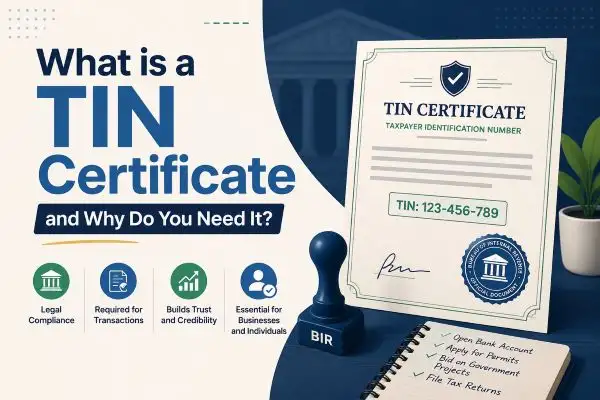
What is a TIN Certificate and Why Do You Need It?
A Taxpayer Identification Number (TIN) is a unique 12-digit number assigned by the National Board of Revenue (NBR) to individuals and corporate entities. It serves as your primary identity within the national tax infrastructure, allowing the government to track tax filings, assess liabilities, and monitor compliance.
In 2026, the digital variation—commonly referred to as the e-TIN—is the absolute gold standard. Physical card-shuffling is a thing of the past. If you do not possess a validated e-TIN, you face major roadblocks across several essential financial activities.
Critical Situations Requiring an Active TIN:
- Opening Bank Accounts: Commercial banks require verified e-TINs for current accounts and specific high-value savings structures.
- Property and Vehicle Registration: You cannot legally buy or transfer land, apartments, or motor vehicles without showcasing active tax credentials.
- Applying for Trade Licenses: Municipal corporations and local government bodies mandate an e-TIN before issuing or renewing trade licenses for businesses.
- Securing Credit Facilities: Financial institutions look at your verified TIN status during the underwriting process for business or personal loans.
- Import and Export Activities: Obtaining an Import Registration Certificate (IRC) or Export Registration Certificate (ERC) depends entirely on valid tax registration.
Why Is Tin Certificate Verification So Essential?
Carrying a digital PDF copy of a tax certificate on your smartphone offers zero proof of its actual legitimacy. True compliance depends entirely on whether that specific 12-digit record actively matches the real-time data stored inside the central database. Running a routine validation check protects individuals from potential identity theft, ensures corporate transparency during vendor onboarding, and confirms that minor data errors won’t disrupt your next bank transaction or property purchase. True digital security requires verifying information directly at the source.
Why should you regularly perform a Tin Certificate Verification?
- Prevent Identity Theft and Fraud: Malicious actors occasionally use stolen or fabricated National Identity (NID) data to generate fraudulent TINs. Verifying your credentials ensures no one else is filing or dodging taxes in your name.
- Ensure Flawless Corporate Onboarding: When dealing with B2B clients, vendors, or suppliers, companies must verify the vendor’s TIN certificate to deduct Tax Deducted at Source (TDS) at the correct rates. Failing to verify can result in severe legal penalties for the corporate auditor.
- Smooth Out Income Tax Return Filings: If there is a mismatch between your NID database details and your e-TIN profile, your online tax return portal might reject your submission. Early verification flags these errors before the filing deadline pressure hits.
Step-by-Step Guide: Online Tin Certificate Verification in 2026
The National Board of Revenue has optimized its digital portals to make Tin Certificate Verification fast, reliable, and accessible from any smartphone or desktop computer. Follow this breakdown to verify any 12-digit e-TIN within minutes.
Method 1: Verification via the Official NBR e-TIN Portal
This is the most secure and definitive way to confirm the validity of a tax certificate.
- Access the Official Web Portal: Open your web browser and navigate directly to the official NBR e-TIN registration website (
secure.incometax.gov.bd/registration). Ensure you see the secure HTTPS padlock icon in your browser address bar before inputting any data. - Log In or Use the Public Verification Tool: If you already have a registered account, click on Login and enter your username and password. If you are verifying a certificate provided by a third party (like a vendor), look for the public TIN Verify link usually located on the home page menu sidebar.
- Input the 12-Digit TIN Code: Carefully enter the 12-digit Taxpayer Identification Number into the designated field. Double-check for typos, as an accidental number swap will return a “Record Not Found” error.
- Complete the Captcha Challenge: Solve the security puzzle or enter the alphanumeric captcha displayed on the screen. This security layer prevents automated bots from scraping sensitive taxpayer information.
- Review and Print the Generated Report: Click the Verify button. The portal will instantaneously pull data from the NBR core servers, showing the taxpayer’s name, father’s/spouse’s name, registered address, tax zone, and circle. You can print this layout or save it as a PDF for compliance documentation.
Method 2: Verification Through the Integrated Income Tax App
For taxpayers on the move, the official mobile application provides an alternative verification route.
- Download the verified NBR Income Tax mobile application from the official Google Play Store or Apple App Store.
- Open the app and tap on the TIN Verification / Validity Check module on the dashboard.
- Type in the 12-digit e-TIN.
- Authenticate using the mobile OTP (One-Time Password) system linked to your registered phone number if validating a full profile, or use the public lookup feature for basic validity status.

Understanding Your TIN Verification Output
Successfully completing your digital tax validation opens up a screen packed with critical informational fields. Misinterpreting these core details can lead to unexpected filing mistakes or compliance issues down the road. Learning exactly what each specific data point represents—from your assigned micro-unit location to your active system standing—ensures your documentation is completely accurate. This simple breakdown helps you confidently review your official tax record, confirm your current standing, and quickly spot any mismatched data before it impacts your business.
| Data Point Field | What It Signifies | Action If Mismatched |
| Taxpayer Name | Must match the exact spelling on the user’s NID card. | File an amendment if typo exists. |
| Status | Indicates whether the TIN is “Active”, “Suspended”, or “Cancelled”. | Contact the tax circle officer if suspended. |
| Taxes Zone | The geographic or administrative zone managing your tax file. | Essential to know where to physically submit returns. |
| Taxes Circle | The precise micro-unit within the zone where your physical file rests. | Governs the specific assessment officer assigned to you. |
Critical Warning: If the verification portal displays a name or NID number that does not match the paper certificate provided to you by a vendor or counterparty, do not proceed with financial transactions. The certificate may be counterfeit or modified using image editing software.
Key Differences: TIN vs. BIN vs. VAT
New entrepreneurs frequently mix up different official tax registrations, which can disrupt corporate accounting and lead to compliance issues. To maintain flawless tracking and avoid regulatory penalties, it is vital to keep these three operational pillars distinct.
A TIN tracks personal or corporate income tax obligations based on net annual profits. Conversely, a BIN functions specifically as a Business Identification Number used to monitor Value Added Tax (VAT) on commercial sales, imports, and services. Knowing the unique role of each credential ensures your accounting systems run smoothly and your tax filings stay completely accurate.
- TIN (Taxpayer Identification Number): Tracks personal or corporate income tax obligations based on net annual profits.
- BIN (Business Identification Number): A 9-digit or 13-digit number used specifically to track Value Added Tax (VAT) on sales, imports, and services.
- VAT Certificate: The physical or digital attestation showing a company is actively collecting and clearing consumer sales tax to the national treasury.
The Penalties of Non-Compliance: What Happens If Your TIN Status Drops?
Performing a routine Tin Certificate Verification does far more than just keep your business records organized—it serves as a crucial shield against severe operational and financial liabilities. With the National Board of Revenue (NBR) utilizing fully automated data-sharing networks, any drop in your tax compliance profile triggers immediate restrictions across multiple banking and commercial channels.
If your registration status shifts from “Active” to “Suspended” due to unsubmitted filings or unresolved database errors, you will likely face the following automated enforcement actions:
- Elevated Source Tax Deductions: Financial institutions and commercial banks are legally mandated to impose significantly higher withholding tax rates on interest income and investment yields for any account tied to an unverified or non-compliant TIN.
- Freezing of Essential Corporate Licenses: Your ability to renew time-sensitive commercial permits—including your municipal trade license, import/export certificates (IRC/ERC), and fire safety clearances—will be instantly locked by regulatory systems until your status is cleared.
- Disruption of Business Transaction Clearings: Corporate clients running vendor audits will immediately flag your inactive status, causing them to halt pending invoices or withhold taxes at maximum statutory penalty rates during quarterly payouts.
Maintaining a verified, flawless profile ensures you bypass these costly administrative bottlenecks. By staying proactive and monitoring your digital status, you protect your enterprise from sudden operational disruptions and ensure unhindered financial mobility.
Common Issues During Tin Certificate Verification & How to Fix Them
Even with upgraded servers in 2026, you might hit an unexpected roadblock when looking up a tax profile. Here are the most common system errors and how to clear them up.
1. “TIN Number Not Found / Invalid Record”
This is the most common error message. It usually indicates one of two things:
- Input Typo: Re-read the 12-digit string. Ensure you didn’t confuse a ‘0’ (zero) with an ‘O’ (letter) or input spaces between digits.
- Legacy Old TIN: The certificate might be an old, pre-digitization 10-digit TIN. Old 10-digit numbers must be manually migrated to the online e-TIN portal before they will show up in online verification queries.
2. “NID Verification Failed”
This issue occurs when the database finds an internal conflict between the NBR database and the Election Commission’s national identity server. It frequently surfaces if you have recently updated your legal name, corrected your birth date on your NID card, or changed your marital status. To resolve this, you must log into your e-TIN dashboard and initiate a “Change Information” request to pull the updated data from the NID server.
3. Server Timeout / Gateway Errors
During peak tax-filing months (typically close to the annual tax day deadline), high traffic volume can slow down NBR servers. If the system hangs, clear your browser cache, switch to an alternative browser (like switching from Chrome to Edge), or try running your verification during off-peak hours (early morning or late evening).
Frequently Asked Questions (FAQs)
Is it possible to verify a third-party tax certificate through the internet?
Yes, the digital lookup infrastructure hosted on the official portal permits public searches. Anyone can input a 12-digit identification code to confirm whether a specific taxpayer profile is authentic and currently active. However, to maintain strict data privacy and individual security, these public database queries only display high-level corporate or personal information—such as the user’s legal name, assigned tax zone, administrative circle, and current operational standing. Comprehensive financial summaries or historical tax return data remain completely hidden from public view.
Are there any administrative fees associated with checking a tax certificate?
No, validating tax records is an entirely free public utility provided by the government. The official portal does not charge any processing fees for lookups. If a commercial agency, mobile application, or external website demands a payment to check a registration status, it is a clear sign of an unverified scam platform. Taxpayers must always verify that they are using official domains ending in .gov.bd to protect their data.
What are the corrective steps if an active certificate displays incorrect information?
If you spot an inaccuracy, you must never register for a duplicate or alternative account to resolve the issue. Operating multiple tax profiles under a single identity is a severe legal infraction that incurs substantial financial penalties. Instead, access your dashboard, open the dedicated correction module, input your updated details alongside supporting documentation like a corrected national identity card, and await manual approval from your circle officer.
Best Practices for Tax Compliance
Keeping your tax record spotless requires much more than running an occasional database lookup. To fully shield your commercial enterprise and personal financial status from audits, you must implement proactive compliance habits.
This includes running annual validation audits on your primary vendors to confirm their legal standing before releasing major payments, keeping your portal contact data current to avoid missing urgent official alerts, and consistently submitting annual returns on time—even if you only qualify for a zero-return filing. Building these simple routines into your schedule eliminates legal friction and ensures long-term financial security.
- Audit Your Vendors Annually: Set up a routine policy to run a quick validation check on all corporate supplier TINs before distributing quarterly clearings.
- Keep Contact Information Updated: Ensure the mobile number and email address linked to your e-TIN profile are active. Important notifications regarding audit selections or policy changes are delivered directly to these contact points.
- File Returns Consistently: Even if your annual income drops below the taxable threshold in a given fiscal year, filing a zero-return keeps your e-TIN account status marked as fully “Active” and compliant across integrated banking systems.
By using the online systems correctly, checking your details on time, and staying informed on legal changes, you keep your personal and business finance completely safe, secure, and ready for growth.
Conclusion
Navigating the landscape of digital tax administration does not have to be an overwhelming or complicated chore. As we progress through 2026, the National Board of Revenue continues to refine its digital infrastructure, making it easier than ever to manage your tax credentials with confidence. Utilizing the tools for Online Tin Certificate Verification is no longer just an optional administrative task; it is an essential practice for safeguarding your personal financial data and maintaining corporate credibility.
By taking a few minutes to routinely verify your e-TIN profile through official government portals, you protect yourself against identity theft, streamline your annual return filings, and eliminate operational bottlenecks in banking, property registration, and business licensing. If you discover any inaccuracies on your certificate during the lookup process, be sure to follow the authorized correction channels immediately rather than attempting a new registration.
Ultimately, staying proactive about your tax documentation ensures that your business or personal finances remain fully compliant and clear of legal penalties. Bookmark this ultimate guide as a quick reference tool, share it with your professional network, and continue leveraging these secure digital pathways to foster a transparent, efficient, and growth-oriented financial future.